HyperBlog is an all-in-one blogging CMS platform built for performance, search visibility, content growth and Leads. Built with Next.js, a Google-preferred framework, HyperBlog is designed to load your content fast, improve Core Web Vitals, and grow more leads without needing external SEO plugins or optimization tools.Documentation Index
Fetch the complete documentation index at: https://docs.hyperblog.io/llms.txt
Use this file to discover all available pages before exploring further.
SEO Optimization for Individual Posts
Every blog post in HyperBlog is fully SEO-ready. You don’t need any third-party plugin or tool to manage your on-page SEO.How to optimize your post:
- Create or edit a post.
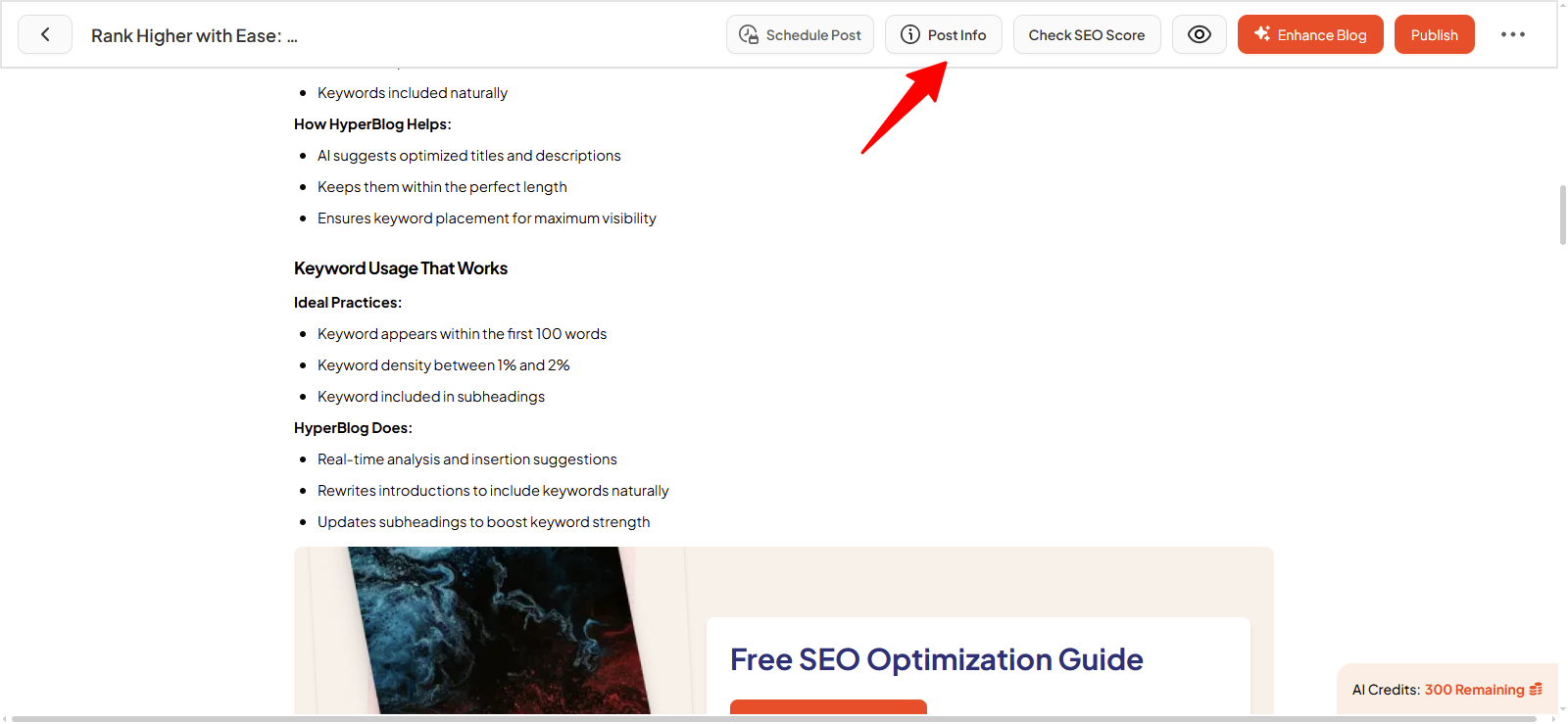
- Click on Post Info in the editor.
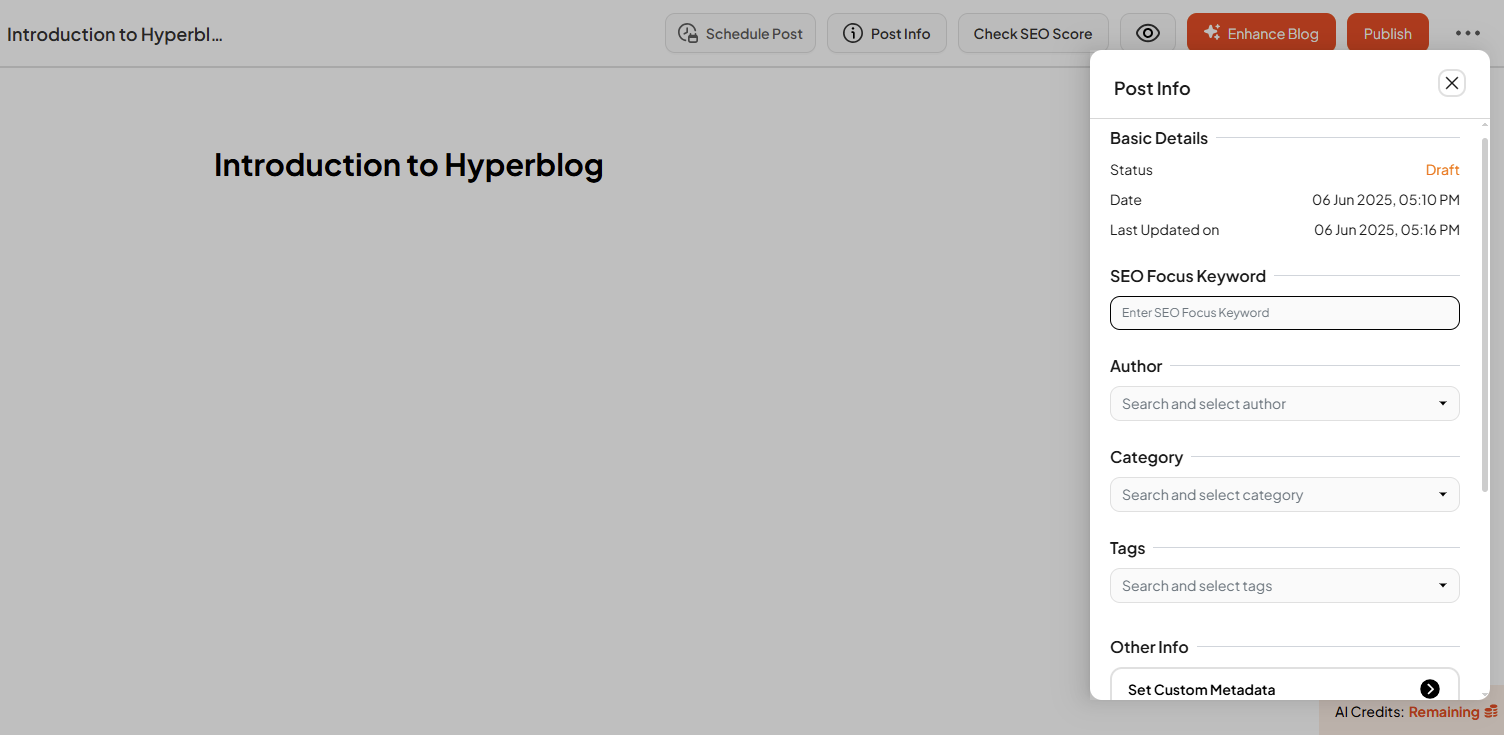
- You’ll find built-in SEO fields to fill:
- SEO Focus Keyword
- Custom Metadata (Meta Title & Description)
- Custom Slug URL
- Schema Markup
- Canonical URL
- Featured Image
- Custom JS (optional)
AI-Powered SEO Score Checker
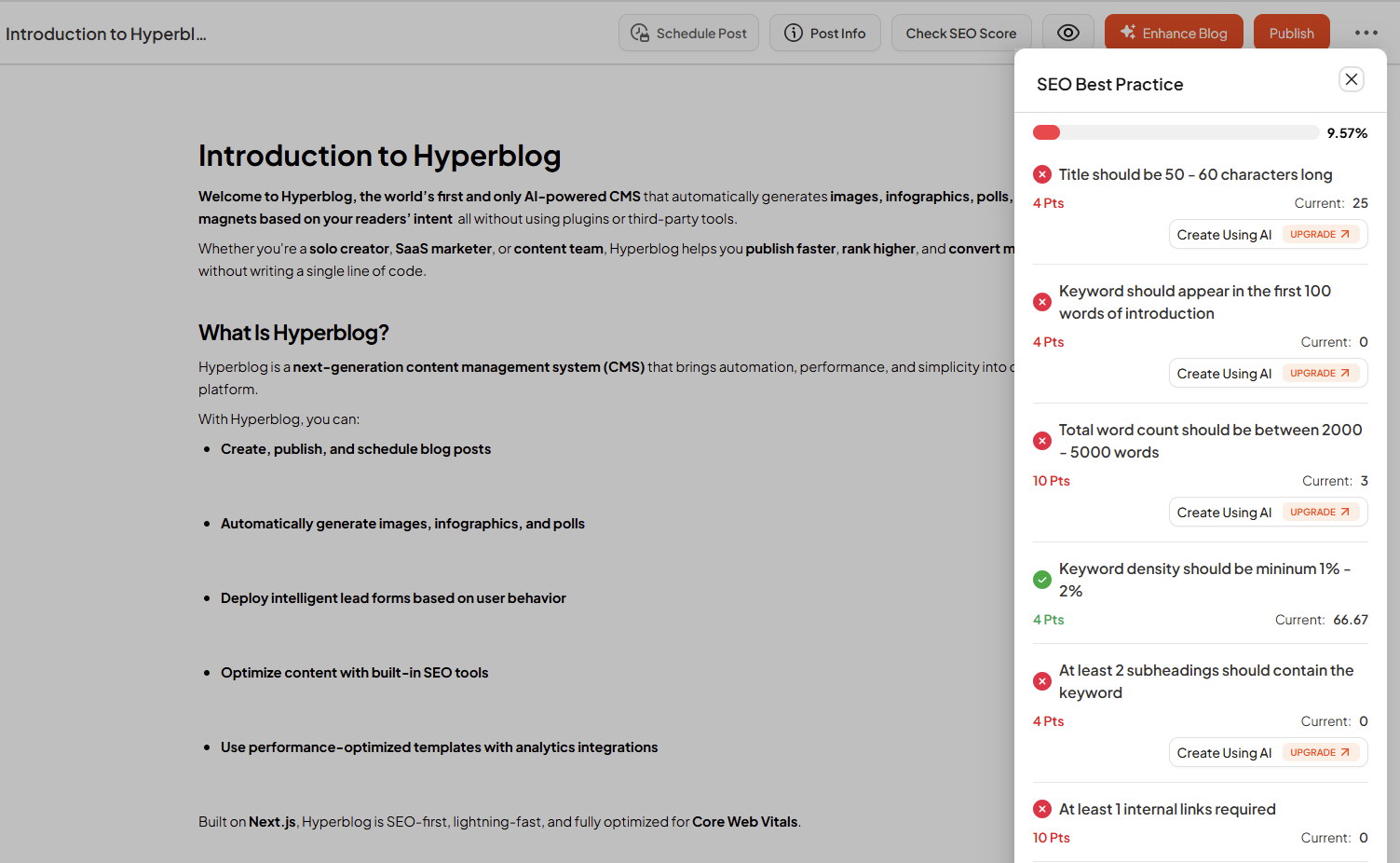
HyperBlog includes a smart, inbuilt AI SEO Checker that audits your post content and structure based on 18+ core SEO ranking factors. No extensions or integrations required.How it works:
- Click Check SEO Score on any post.
- HyperBlog will analyze your post’s content and metadata.
- It shows your SEO Score visually (e.g., 47.87%) along with a full checklist of improvements.
Some of the SEO ranking factors it checks:
- Keyword in title, meta, intro, alt tags
- Word count (ideal: 2,000–5,000)
- Keyword density (1–2%)
- Internal & external links
- Use of subheadings, bullets, short paragraphs
- Featured image and infographics
- FAQ schema, polls, banner presence
- Lead magnet inclusion
- Table of contents
Core Web Vitals Built In
HyperBlog is built on Next.js, one of the fastest and most SEO-friendly frameworks recommended by Google. That means:- No need for caching plugins
- No need for extra performance optimization tools
- Fast loading even for long-form, media-heavy content
Global SEO Settings for Site-Wide Optimization
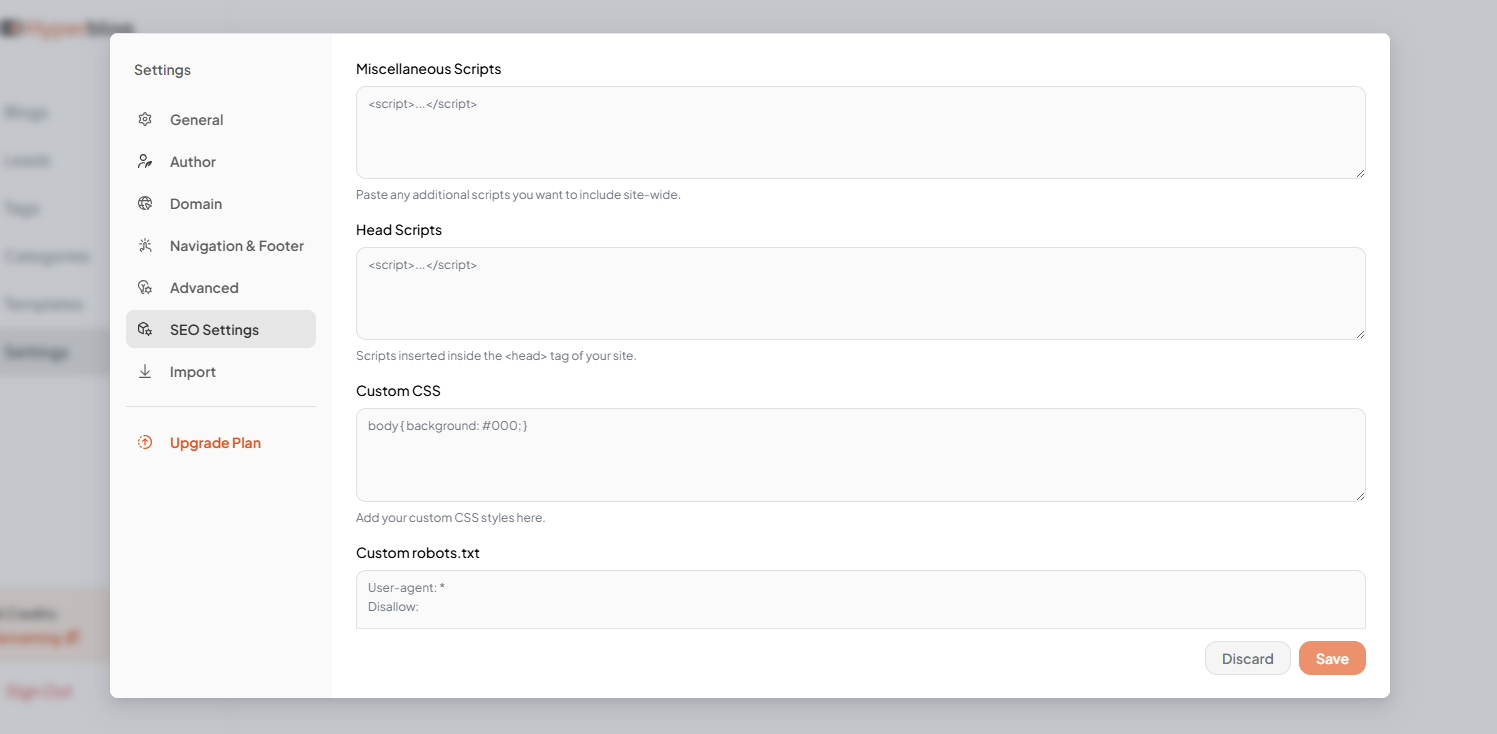
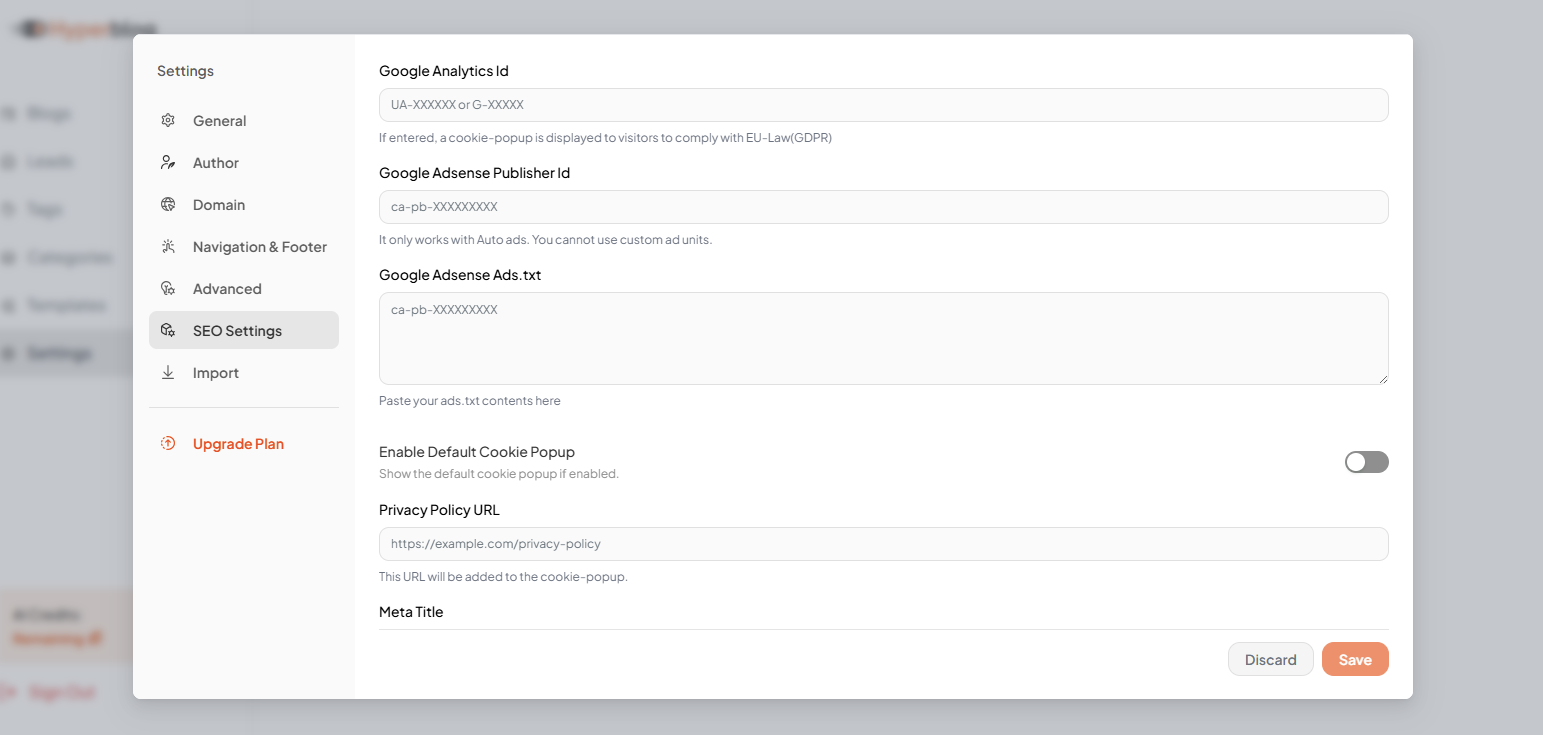
While individual posts can be optimized for their own ranking, HyperBlog also provides Global SEO Settings to optimize your entire blog site from a single dashboard. Go to Settings → SEO Settings to manage:SEO & Analytics Settings
- Google Analytics ID – Track visits and show cookie popup (for GDPR)
- Google Adsense ID & Ads.txt – Enable Auto Ads monetization
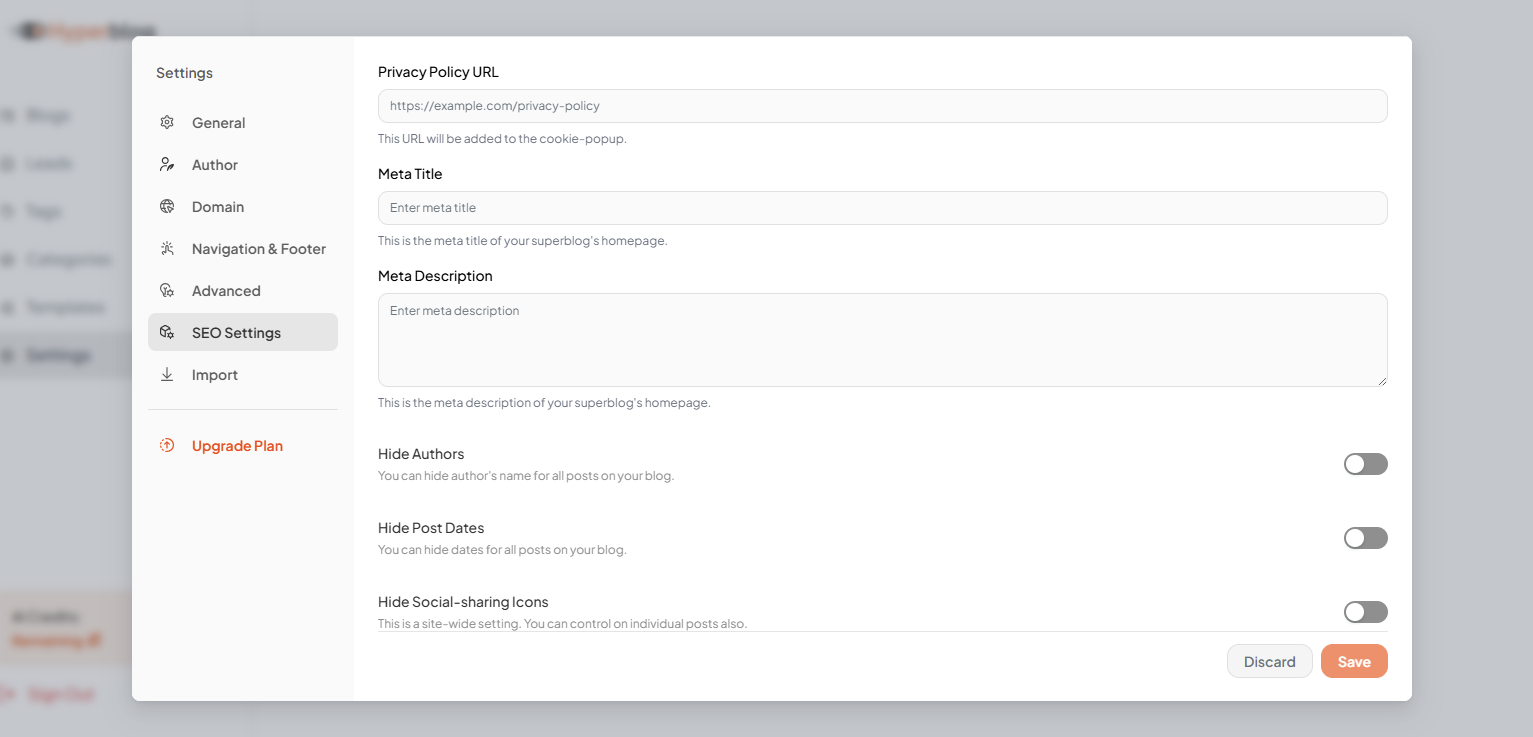
- Meta Title & Description – Homepage-level metadata
- Privacy Policy URL – Used in cookie popup
Visibility Controls
- Hide Author Names
- Hide Post Dates
- Hide Social Sharing Icons
- Hide Footer Menu Items
- Show Search Bar on Homepage
Advanced Customizations
- Custom CSS
- Custom robots.txt
- Head Scripts & Misc Scripts
- Email on Deploy
- Scroll Progress Bar